Public API⚓︎
The PowerBI Portal Public API provides programmatic access to manage your PowerBI Portal resources. You can view, add, edit, and delete, depending on the resource:
- Users, groups, and their custom claims.
- Reports and report access, for users and groups.
- Files and file access, for users and groups.
- Playlists and playlist access.
- Areas.
- Access history.
- Capacities settings, to turn automatic capacity management on or off.
The API is available to users with the Master or Backoffice role. The capacities settings are only available to Master users.
Before using PowerBI Portal API you need to enter your Access Code and Environment ID.
Environment ID: in the top right corner, open the Environment dropdown and click Copy code next to your environment.
PowerBI Portal API: admin.powerbiportal.com/docs/swagger/index.html. You can also open it from Administration > Public API.
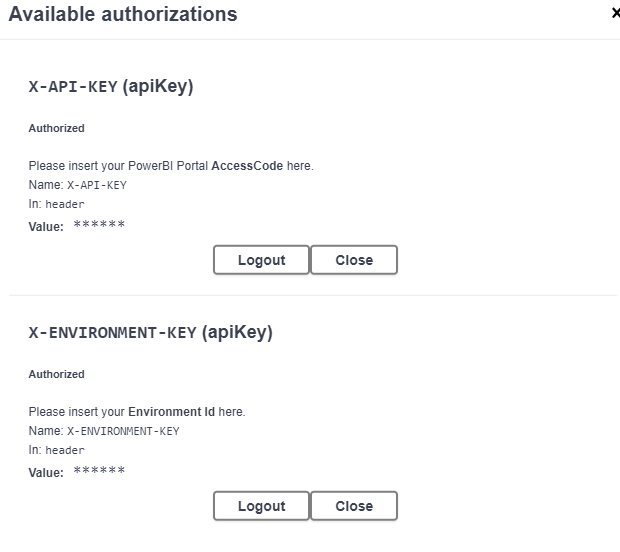
To enter your credentials, click on 'Authorize' and fill in your Access Code (X-API-KEY) and Environment Id (X-ENVIRONMENT-KEY). The access code must belong to an active user of the environment:
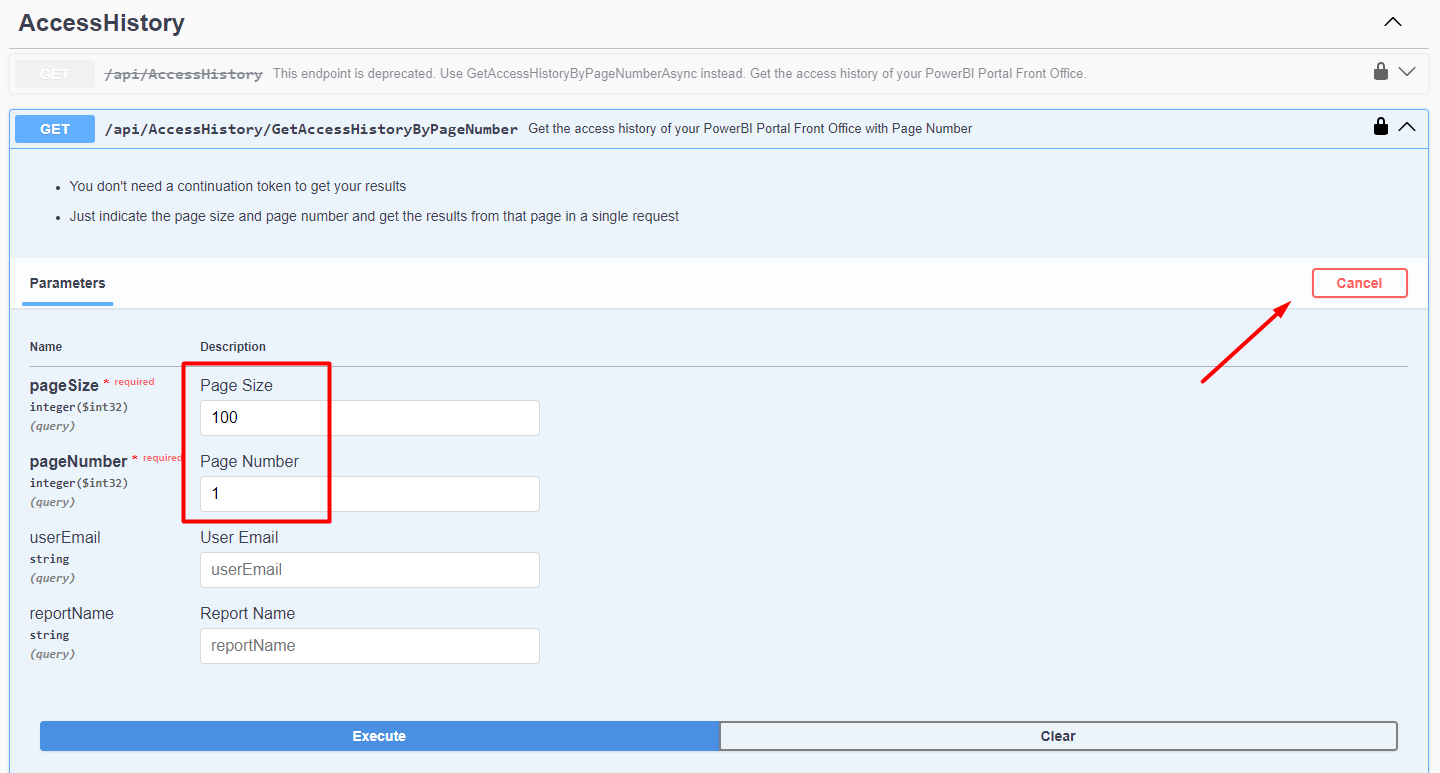
After the log in you can select the desired endpoint and click 'Try it out', enter the required or desired parameters and 'Execute':