"View as" Feature⚓︎
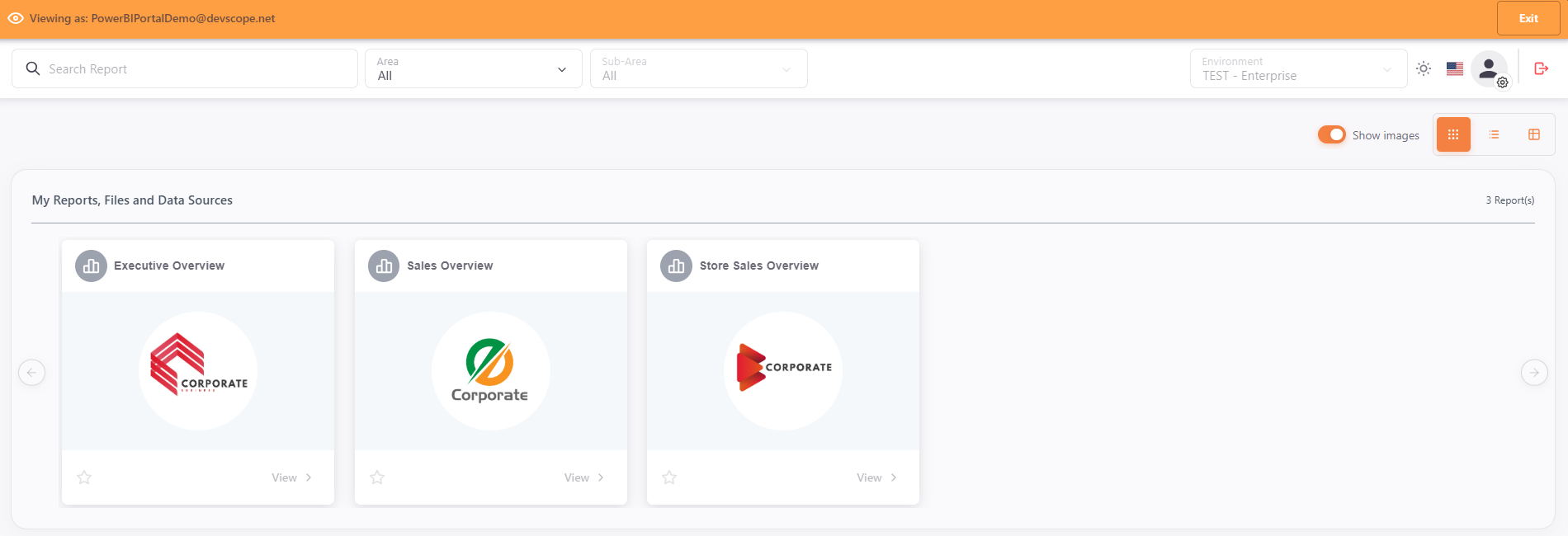
The "View as" functionality allows administrators to impersonate other users and view the Power BI Portal with their respective permissions, facilitating troubleshooting and access validation.
Main Features⚓︎
Security and Control⚓︎
- Temporary access: The impersonation session is automatically terminated when the defined time expires, returning to the original user
- Manual termination: Ability to end impersonation at any time
- Action blocking: During impersonation, all actions and reports are blocked to prevent accidental changes
- Complete auditing: All impersonation start and end events are logged to ensure traceability and compliance
How it Works⚓︎
In the PowerBI Portal, select the user you want to impersonate and click the "eye" icon.

The system automatically redirects to PowerBI Portal with the selected user's permissions. There, you can view the Portal with impersonated permissions.
Requirements⚓︎
Info
To use this functionality, ensure that the selected user belongs to the same environment as the administrator user.