Integration with Analysis Services⚓︎
If you use Analysis Services you need to authorize PowerBI Portal to access it. To do so, please go through the following steps:
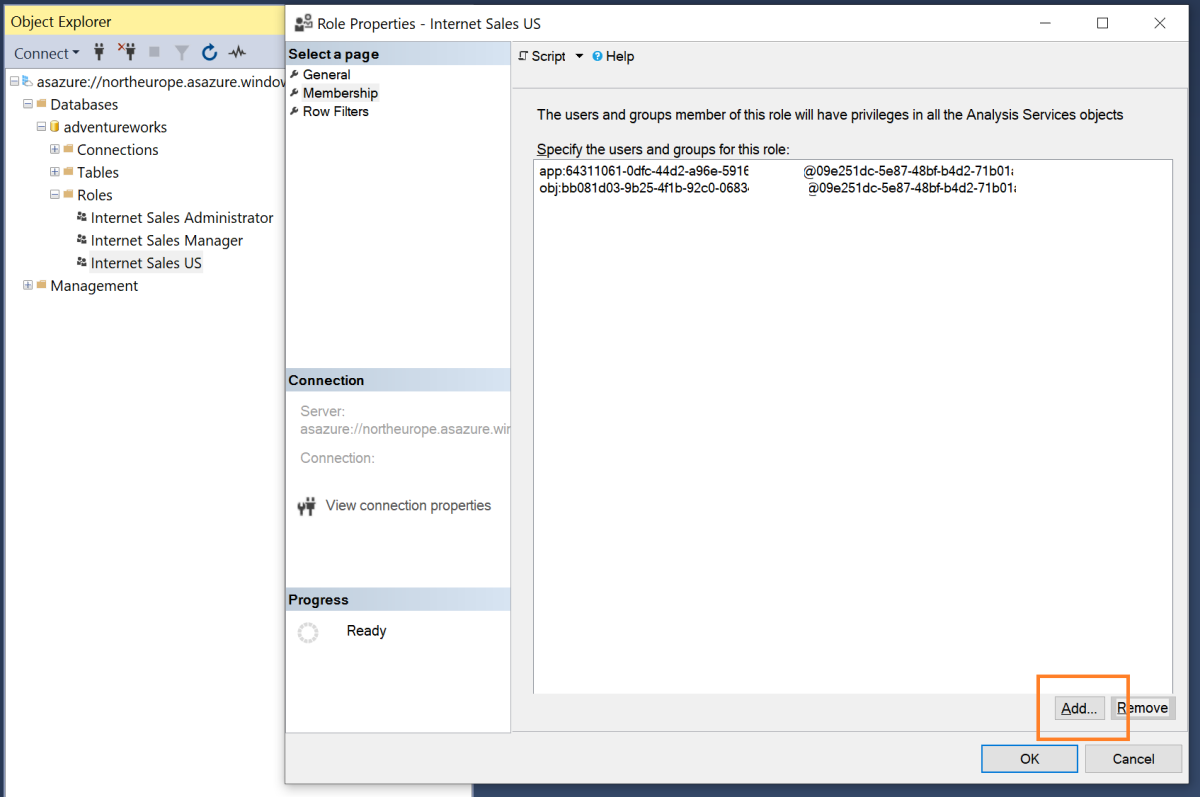
- Make sure the App Registration that you use in the PowerBI Portal is one of the members of your Analysis Services Database. For example, in SQL Server Management Studio, you can go to your database properties and add the App Registration by searching its by its name.
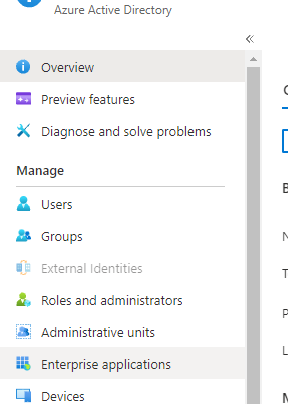
- Go to Microsoft Entra ID and then to "Enterprise applications". Search for your App Registration, open the Enterprise Application, and copy its Object ID.
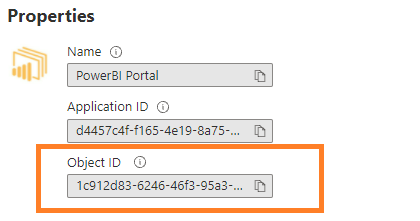
- Use the object ID in the Row-Level User field, under Row-Level Security in the Security & Filters tab of Advanced Details, when adding or editing a report in PowerBI Portal.