See as Feature⚓︎
The "See As" functionality allows administrators to impersonate other users and view the Power BI Portal with their respective permissions, facilitating troubleshooting and access validation.
Main Features⚓︎
Security and Control⚓︎
- Temporary access: The impersonation session is automatically terminated when the defined time expires, returning to the original user
- Manual termination: Ability to end impersonation at any time
- Action blocking: During impersonation, all actions and reports are blocked to prevent accidental changes
- Complete auditing: All impersonation start and end events are logged to ensure traceability and compliance
How it Works⚓︎
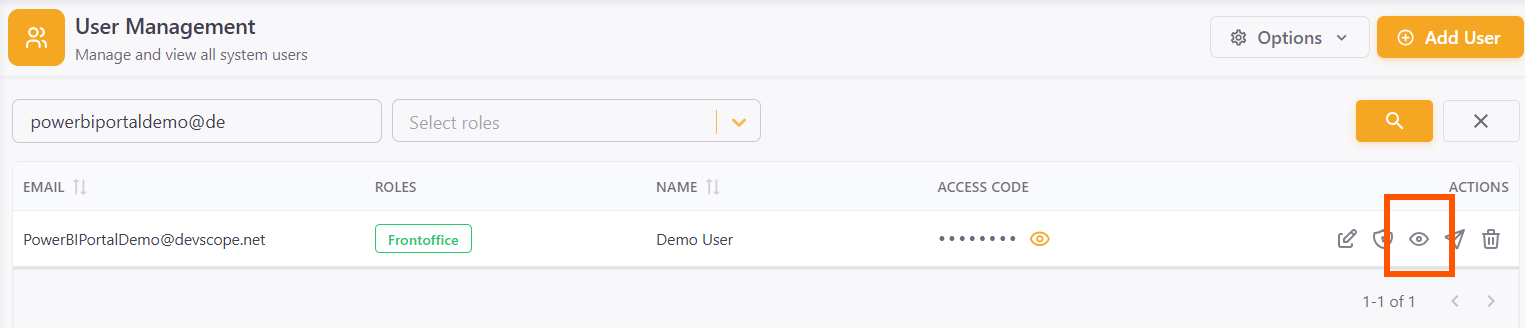
Select user in Back office⚓︎
In the Back office, select the user you want to impersonate.
Redirect to Front office⚓︎
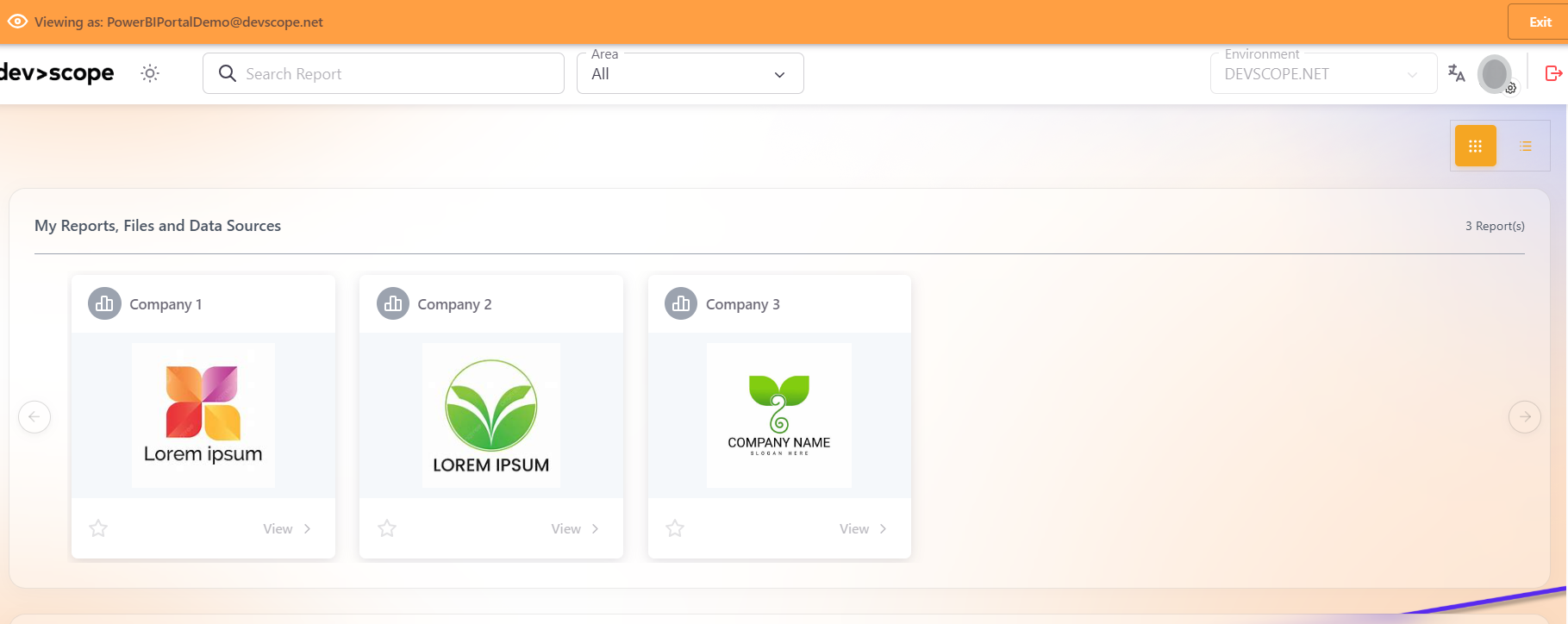
The system automatically redirects to the Front office with the selected user's permissions.
View with impersonated permissions⚓︎
Requirements⚓︎
Info
To use this functionality, ensure that:
- The selected user belongs to the same environment as the administrator user
- The user has properly configured FrontOffice access