Data Export to Excel⚓︎
The PowerBI Portal now supports direct export of report data to Excel.
Key Benefits⚓︎
- Export complete datasets, regardless of their size
- Preserve the structure and formatting of the exported data
- Ideal for in-depth analysis and offline processing in Excel
- Eliminates the need for manual copy-paste or navigating through multiple report pages
This feature represents a significant improvement in the user experience when accessing raw report data.
Usage:⚓︎
Under the 'Advanced Details' of the report add the DAX query you want to use for export.
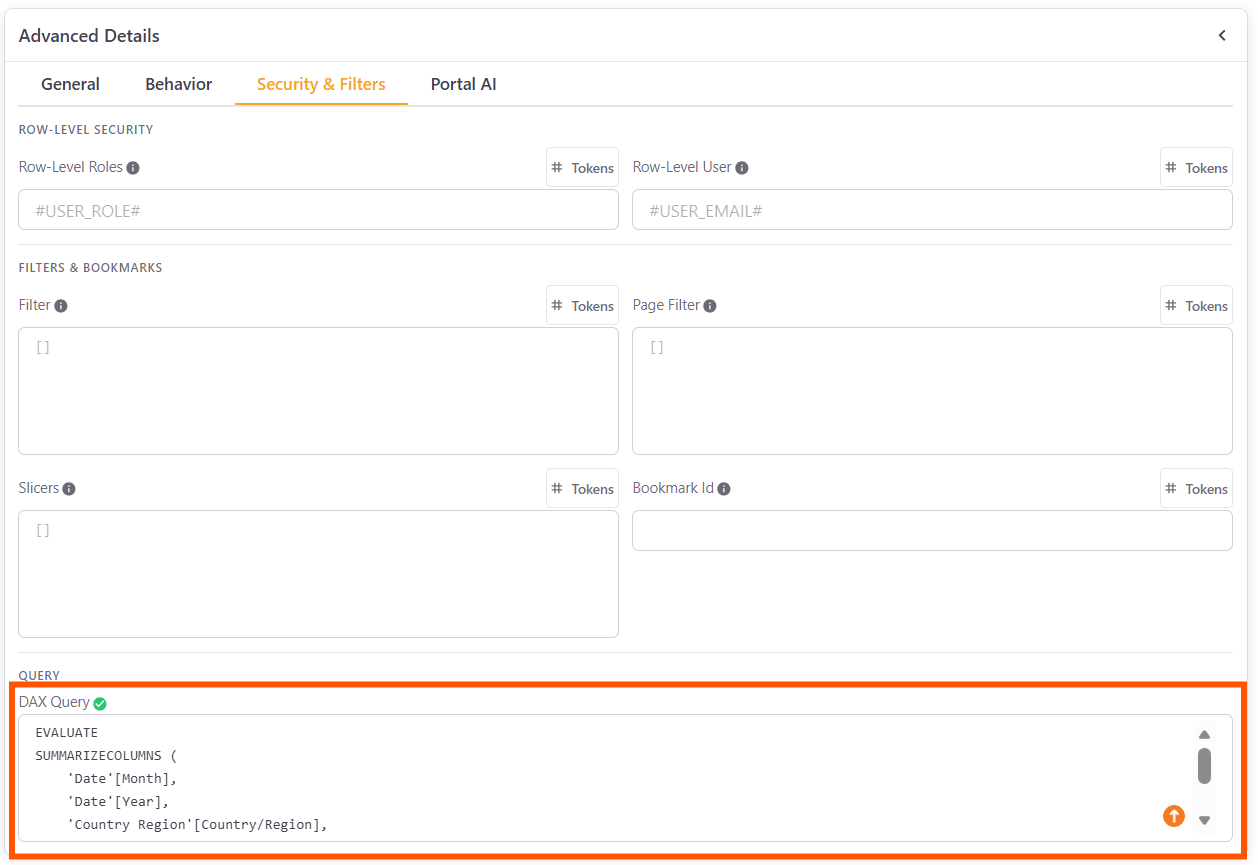
Example:
EVALUATE
SUMMARIZECOLUMNS (
    'Date'[Month],
    'Date'[Year],
    'Country Region'[Country/Region],
"Actual", [Actual],
"Amount", [Amount]
)
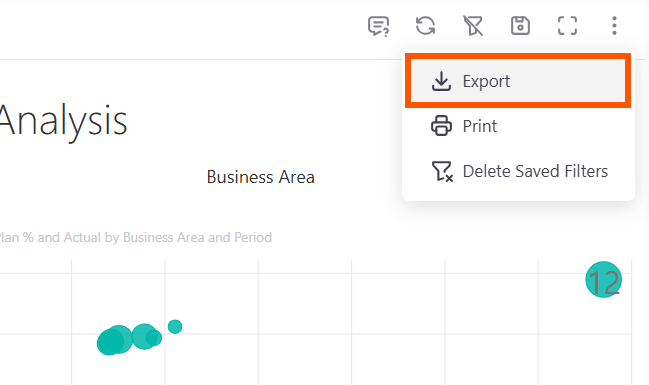
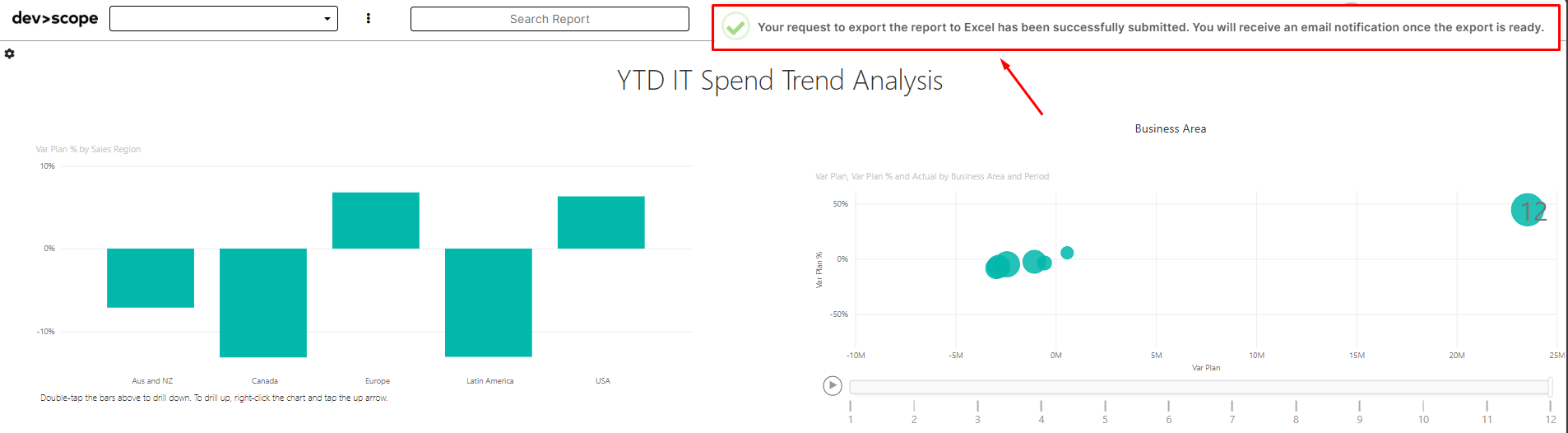
View viewing the report on the reports viewer, a new option for export will be available:
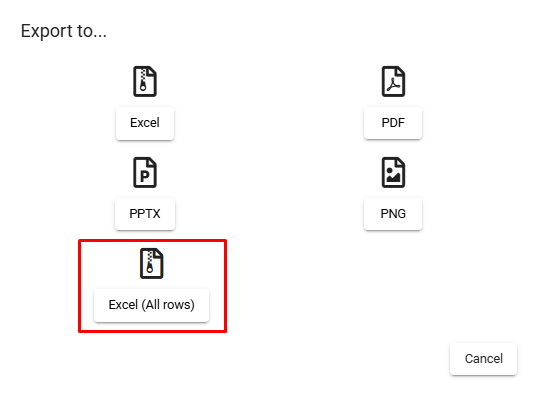
Soon after the request you will receive an email with the exported data:
Example of email received (template):

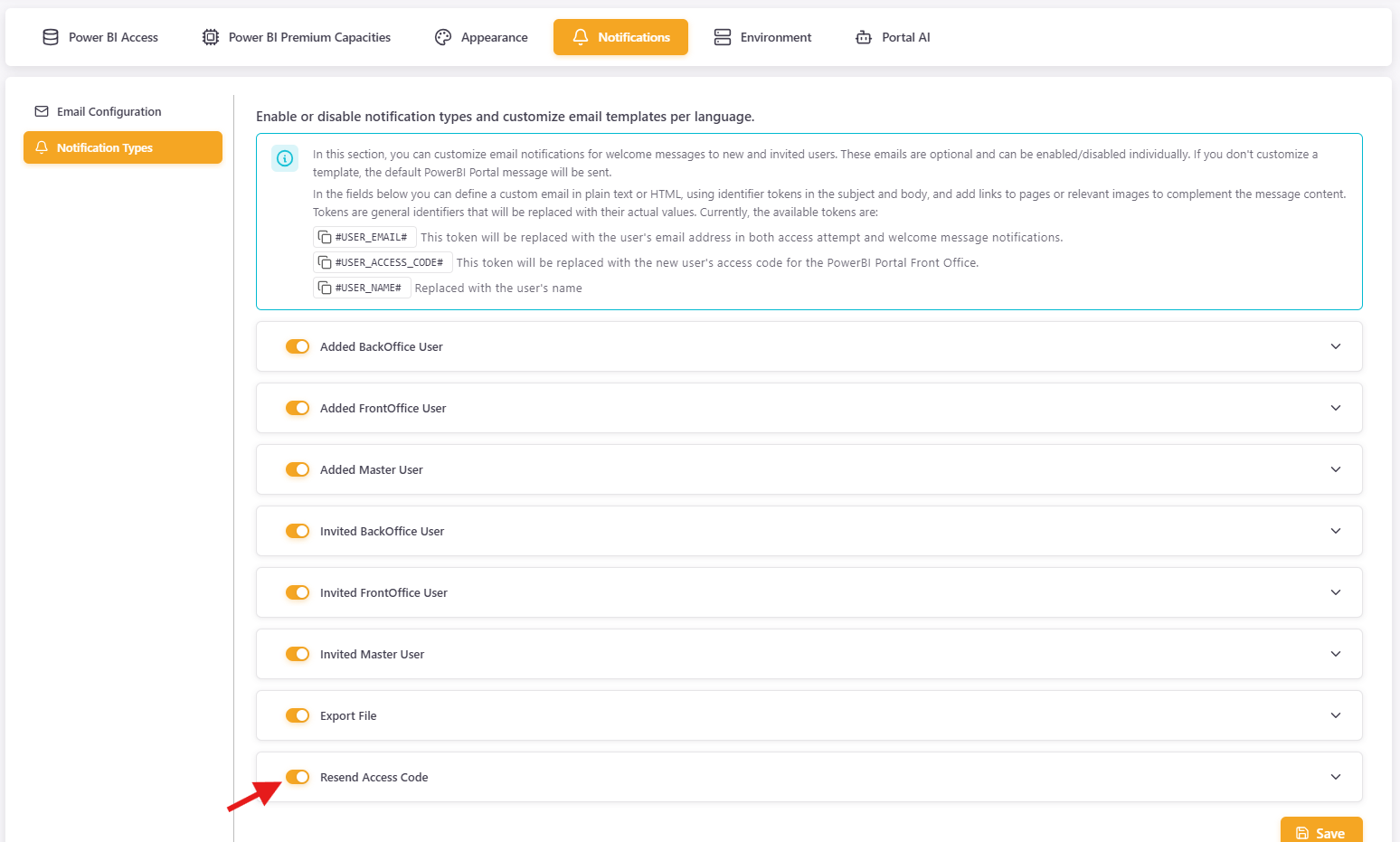
You can also change the email notification by editing the notification on the Settings: