Managing Data Hubs⚓︎
A Data Hub is a configured data source that defines how a system connects to data and what information can be retrieved. It provides a centralized, reusable way to access datasets, so users do not need to create their own database connections or queries. This promotes consistent reporting, better governance, controlled access, and reduces duplicated work.
The steps below guide you through creating a data hub and managing its access.
Creating a data hub⚓︎
- Navigate to Data Hub > List and click Add Data Hub.
-
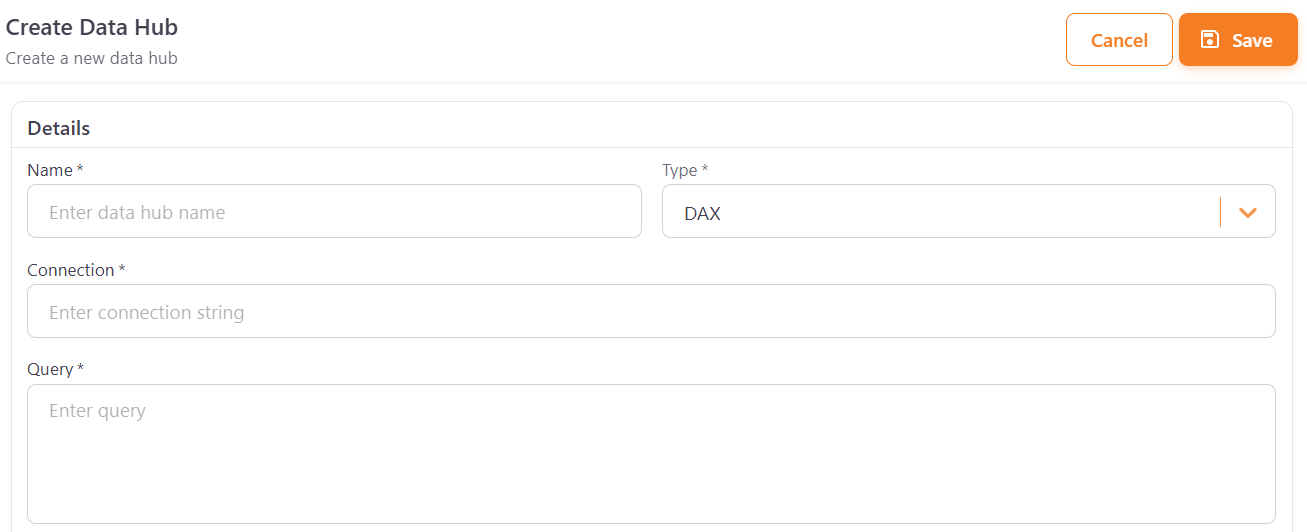
Under Details, fill in the following fields:
- Name — a display name for the data hub.
- Type — the query language used to retrieve data.
- Connection — the connection details for the database or Power BI model.
- Query — a formula that returns data.
You may also fill the remaining optional fields, regarding the hub area, display order, visibility and thumbnail image.
-
Click Save.
Configuring data hub access⚓︎
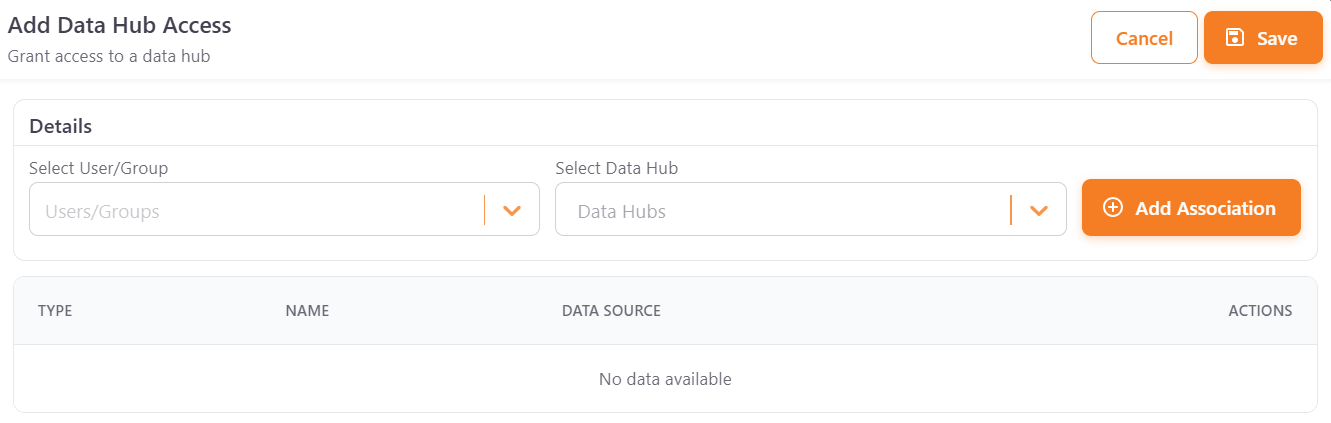
To filter user access to a data hub:
- Go to Data Hub > Access and click Add Access.
- Select a User from the dropdown.
- Select the Data Hub to associate.
- Click Add Association to grant access, then click Save.
The configured associations are listed in the table below, where they can be reviewed or removed.